 FileMy.Email
Every client email saved to the right matter folder in SharePoint — automatically, in EML or PDF, with the metadata columns your firm uses for retention and search. No DMS migration required.
Starting at $10/mo for 3 users. See pricing
The official rule is "every client email gets filed to the matter." The reality is messier:
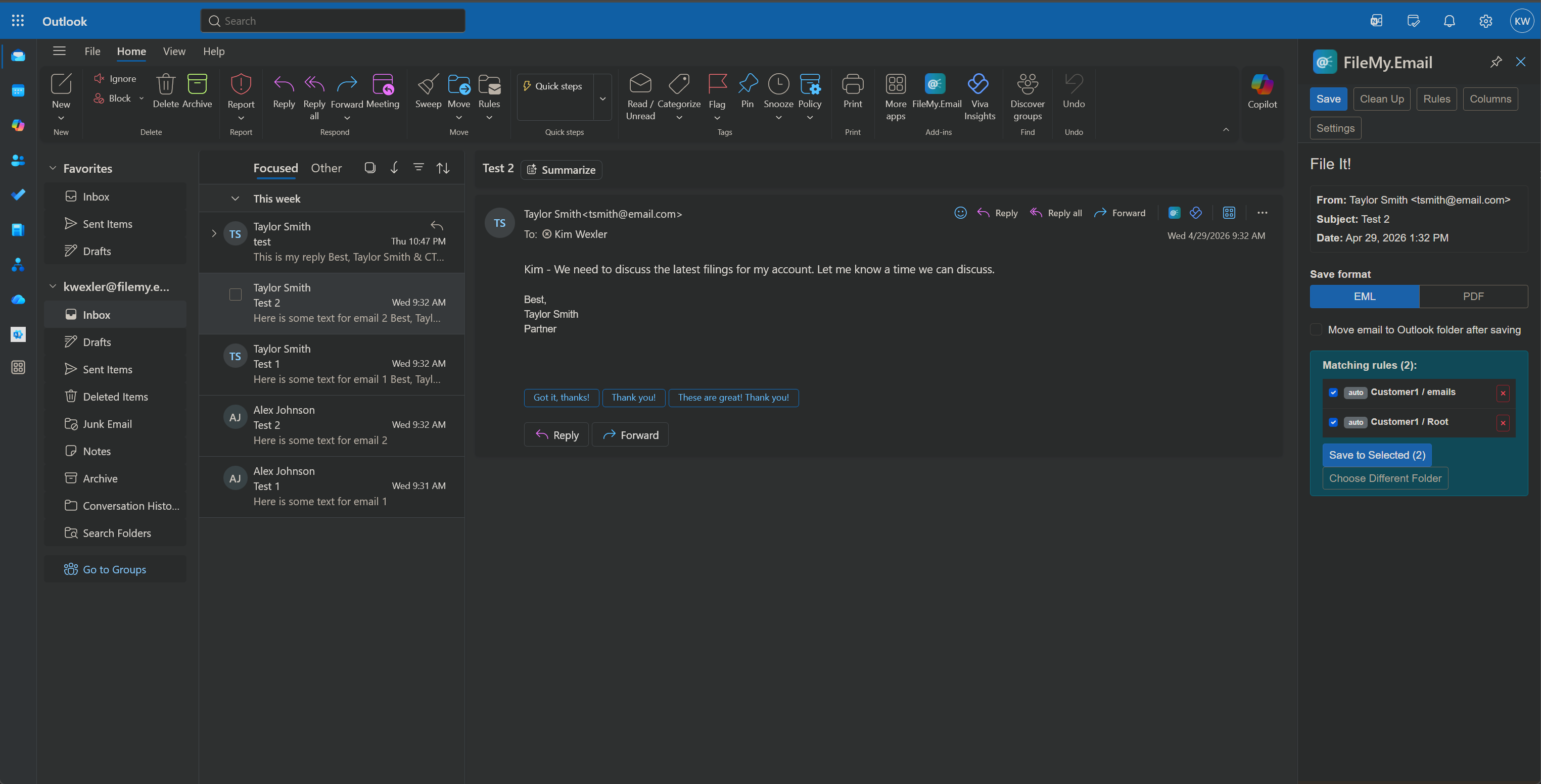
This add-in fixes the email half of the problem without replacing your SharePoint setup. It learns which matter folder each contact maps to, files mail in one click (or zero — see Save on Send), and preserves emails as EML or PDF so the record is intact for the file.
Browse and search any SharePoint folder structure — typically Client › Matter › Correspondence. Star favorites for active matters.
Attorneys file replies and outgoing letters as they hit Send. No "save it later" — outgoing client mail is in the matter folder before the email leaves the building.
EML keeps full headers, recipients, timestamps — defensible for litigation holds, document productions, and audits. PDF is one click away when you need it.
Map SharePoint columns to email fields — Client, Matter ID, Attorney, Date — and they're populated on every save without hand-typing.
Onboarding a new attorney's inbox or a shared mailbox? Run cleanup rules to file the backlog in one pass instead of one email at a time.
Files go straight from Outlook to your SharePoint using your firm's Microsoft 365 credentials. Nothing routes through our servers — important for privilege and data-residency questions.
Attorney opens an email from a client. The add-in panel shows a smart suggestion: the matter folder where past mail from this client has been filed. One click to save — email and attachments go in together, with metadata columns set.
Drafting a reply or a new outgoing letter? Pick the matter folder while composing. Save on Send files the outgoing email automatically the second you hit Send. The matter file stays current in real time.
Paralegal opens the attorney's shared mailbox or a delegate mailbox, runs Inbox Cleanup against the unfiled backlog, previews suggested destinations, and files everything in one pass.
Attorney is in trial or on vacation. Auto-Archive is on for known senders. Mail from existing clients files itself to the right matter folder while they're away — only senders the attorney has previously mapped, never new ones.
Those are full document management systems with their own storage, security model, and pricing — typically $40–80/user/month plus implementation. This add-in keeps your existing SharePoint setup, costs $10/month for 3 users, and focuses on one job: getting email into the right matter folder. For firms that already standardized on SharePoint or are not ready for a full DMS, it fills the email-filing gap without a migration.
Yes. The add-in browses any SharePoint site and folder hierarchy you have access to, including nested folders organized by client, year, or practice area. After you save once, it suggests the same folder for future mail with that contact.
Yes. EML preserves all headers and is the Outlook native format — defensible for evidence. PDF is available for productions and reviews. Choose per save or set a default.
Yes. The add-in works in any mailbox the user has access to in Outlook. Each user occupies one seat regardless of how many mailboxes they file from.
No. Files transfer directly from Outlook to your SharePoint using your firm's Microsoft 365 credentials. We never read, store, or proxy email content.
$10/month covers 3 users (e.g., one attorney, one paralegal, one assistant). Additional users are $3/month each. No annual contract, no minimum-seat commitment, monthly billing.
Starting at $10/mo for 3 users. See pricing · Setup guide